Shape the article
Write and edit posts with a clear topic, useful substance, and the imagery your story needs.
SMARTLINKS / CONTENT STUDIO
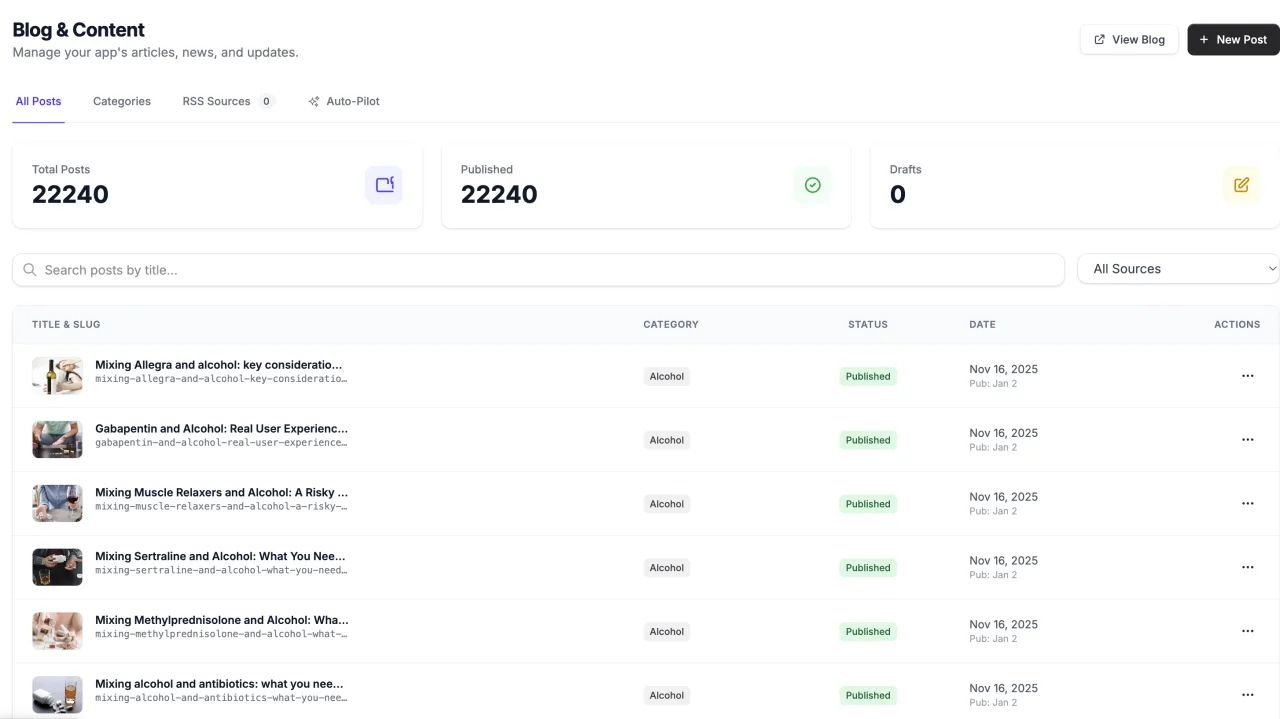
Create app blog posts, organize categories, and manage translations and publishing automation. Keep editorial decisions and public content connected to your app.
Your SmartLinks account. Your apps. One connected workspace.
WHAT’S INSIDE
Start with the job in front of you. These focused tools share the app context you already have in SmartLinks.
Write and edit posts with a clear topic, useful substance, and the imagery your story needs.
Manage translations and review localized content before relying on it for your audience.
Configure supported autopilot and RSS workflows, then verify the public result and indexing eligibility.
FROM IDEA TO ACTION
Content Studio uses your existing app and account, so the work stays connected as you move through the process.
Read the practical guide ↗Create a post with an original, useful topic.
Review the copy, imagery, and any translations.
Publish and inspect the public page.
GOOD TO KNOW
Publishing does not guarantee indexing. Review AI-generated content for accuracy, originality, and value.
No. Sign in with your existing SmartLinks account and select an app you can access. Existing app ownership and team permissions still apply.
This product uses your SmartLinks plan and its feature allowances. The pricing page shows current plans that include Content Studio. Choosing a different suite plan changes your shared subscription; it does not add a separate subscription for this product.
Compare eligible plans →Yes, when your plan and permissions include them. Your apps and connected services stay in the same SmartLinks workspace. Some workflows need additional provider setup.
Explore the product collection →YOUR NEXT GOOD MOVE
Start with Content Studio. Keep the whole picture connected.
BETTER TOGETHER